How it works
The $2 scan, step by step.
Five steps take you from a web address to a list of fixes. The scan reads one page and runs twenty checks. The result is a score out of 100.
-
Enter a domain.
Type your website address and your email on the start page. The scan needs nothing else.
-
Pay $2.
Checkout is one card payment of $2. The scan starts when the payment clears. If the page cannot be read, the $2 is refunded in full.
-
The scan reads one page.
It reads the page at the address you gave and runs twenty checks on it. This takes about a minute. The result also goes to your email.
-
Read the score and the six categories.
The result page shows a score out of 100. Below it, six categories show their points and how many of their checks passed.
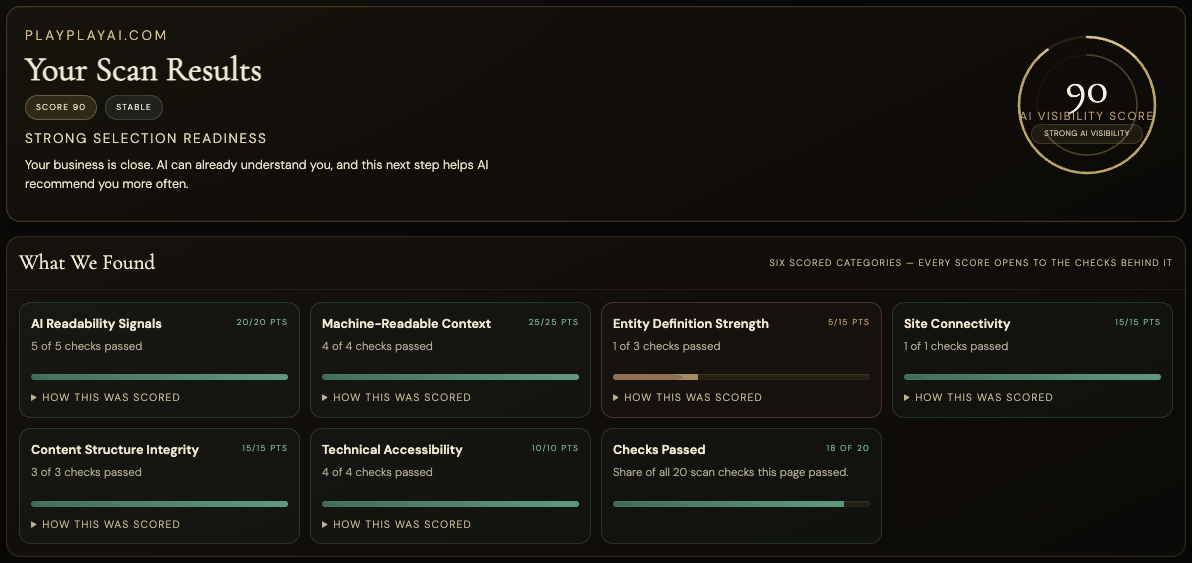
Example: playplayai.com, scanned 15 October 2026. Your result will differ. -
Open How this was scored and decide what to fix.
Each category opens to the checks behind it. Every check shows pass or fail, its points, and what was found. A failed check is a fix you can make on your own page.
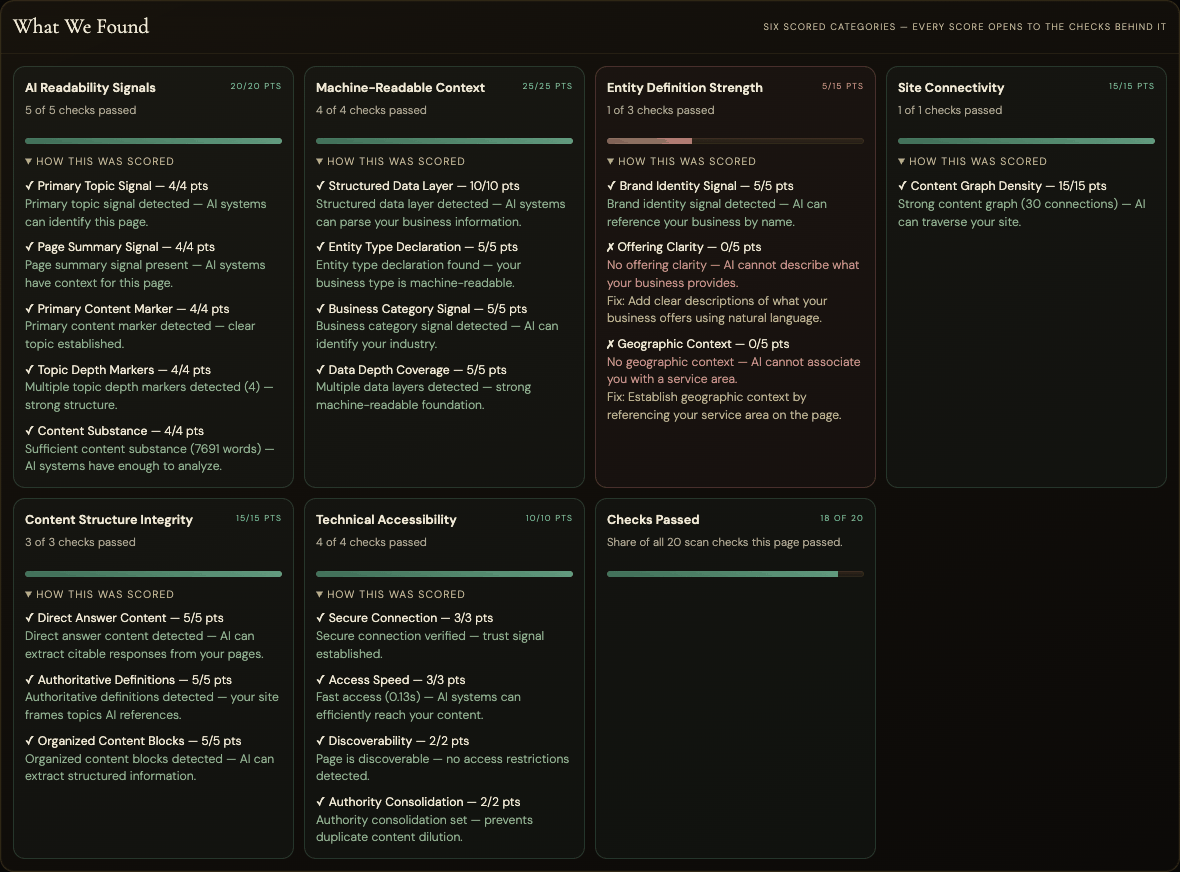
Example: playplayai.com, scanned 15 October 2026. Your result will differ.


Three outcomes
Cited, mentioned, or absent.
We ask AI assistants real questions about your business. Each answer gets one of three verdicts.
Cited
The answer links to your site. A reader can click through to you.
Mentioned
The answer names your business. It does not link to your site.
Absent
The answer does not name you. Someone else fills the gap, or nobody does.